Acedly AI vs Interview Coder: Live Coding Interview AI Compared (2026)
Acedly AI vs Interview Coder: how the two real-time AI tools compare on coding-platform integration, live-call latency, language coverage, stealth, and price — honest breakdown from the Acedly team.
Editorial Team
Acedly comparison guide
Acedly × Interview Coder
Product workflow · pricing · trade-offs
Review at a glance
Acedly × Interview Coder
This is an Acedly-authored comparison based on public product materials and the pictured interface where available. It is not a controlled head-to-head benchmark.
- What the product is for
- coding interview assistance
- Best fit
- a coding-heavy interview loop
Reassessing the current product
The cited Interview Coder review frames it as a coding-only tool without audio. Its current official page explicitly lists real-time interviewer audio, system-design support, and multiple interview types. The real questions are whether screen capture and spoken clarification remain in sync, how much of the monthly 1,000-credit allowance your practice uses, and whether $299 monthly or $799 one-time access makes sense for your expected interview cycle. A free download lets you inspect the app but does not unlock its paid AI features. Run a coding problem followed by a verbal design question before comparing it with Acedly's broader preparation and review workflow.
Discussions on Reddit and other forums
In r/InterviewCoderHQ, people ask whether Interview Coder is worth its price, how audio capture works, and whether its prompts stay relevant in system-design conversations. One reply stresses that seeing a solution is not enough if you cannot explain it. The discussion points to a practical comparison: solve a problem, explain the reasoning aloud, then change a constraint and check the follow-up.
How Interview Coder works
Its review centers on a coding prompt captured from the screen. The assistant proposes an approach and code, and another capture can request debugging or optimization. The reviewer found this useful for simpler algorithm exercises. Current official materials also list interviewer audio, system design, and other interview formats, so a present review needs to test those capabilities rather than repeat the older coding-only description.
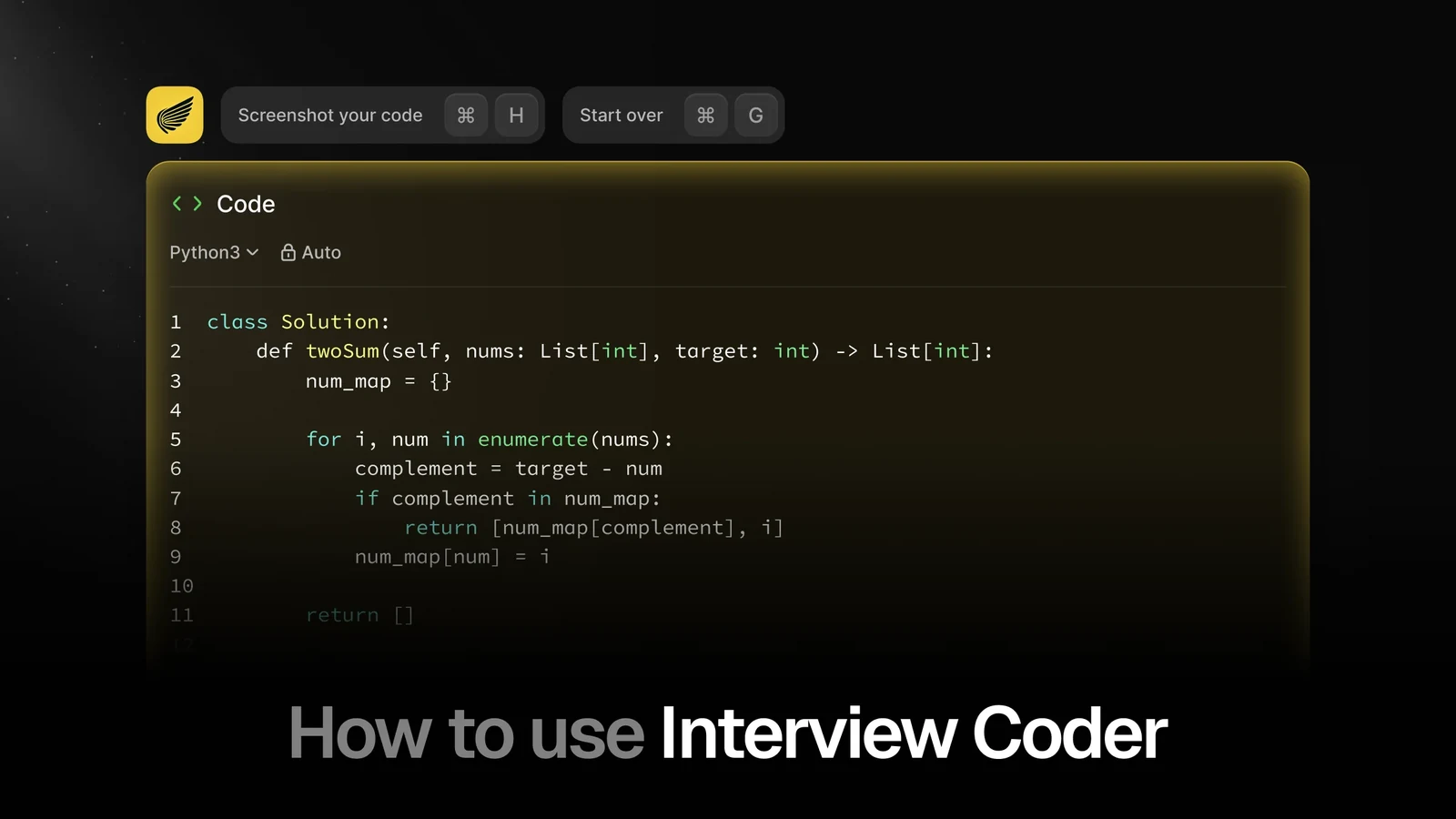
Interview Coder — Python answer and shortcut controls
Official demo frame · interviewcoder.co · Retrieved
Illustrative material
Output depth and conversation flow
The published account says difficult programming and system-design tasks exposed shallower reasoning, and that start, pause, and finish controls added work during a live call. Reproduce the concern with a medium coding problem, an edge case, and a spoken architecture change. Check whether the tool carries the original constraints into the follow-up, explains trade-offs, and helps you defend the answer rather than only supplying code.
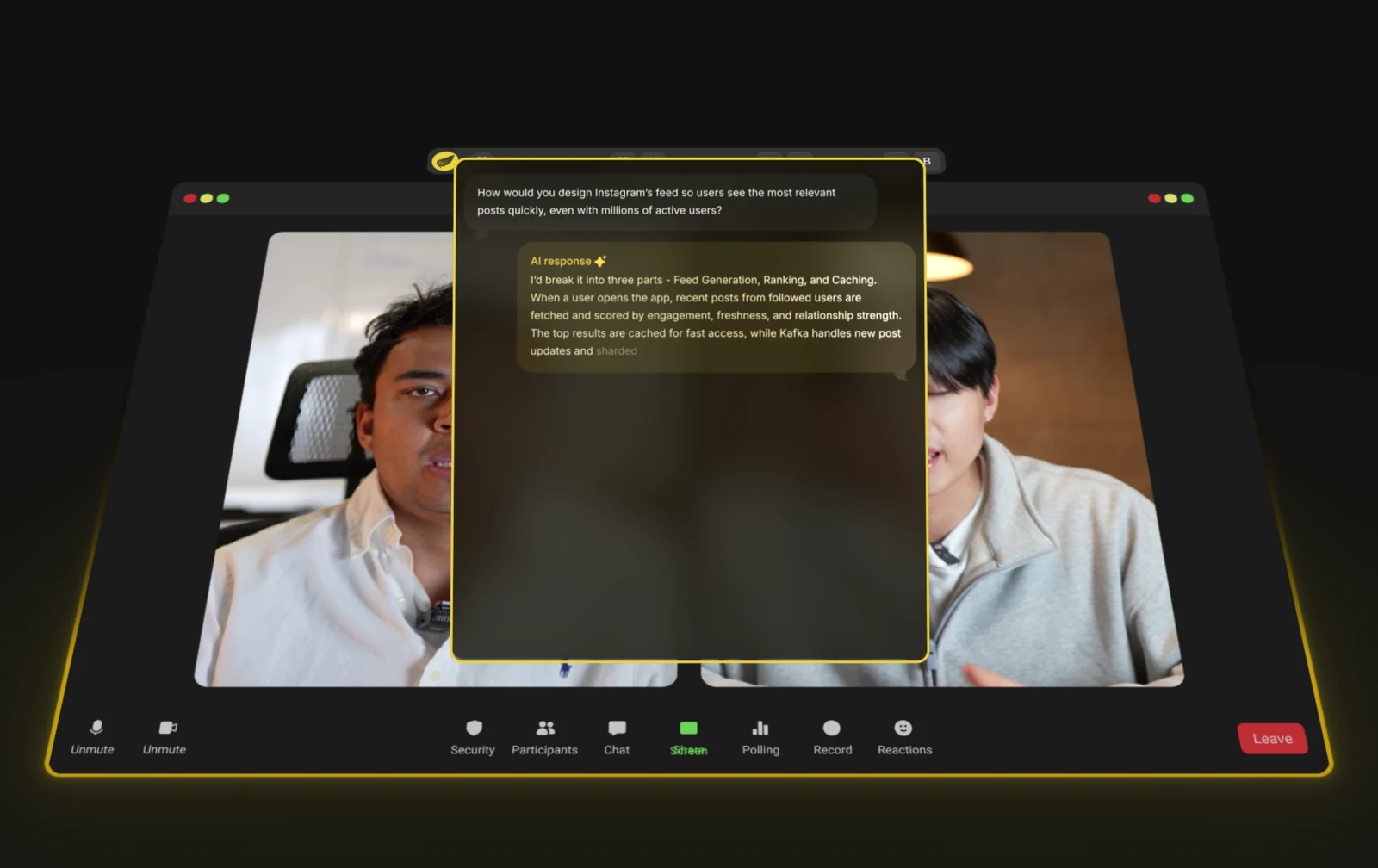
Interview Coder — Answer overlay during a video call
Official demo frame · interviewcoder.co · Retrieved
Illustrative material
Screen sharing and practical setup
The reviewer reported that particular popup controls appeared in a second-laptop screen-share test. That is evidence about its own setup, not a universal visibility rate. If the interview rules permit assistance, rehearse your operating system, meeting app, capture mode, keyboard shortcuts, and every control you expect to press. A product's stealth label cannot replace an end-to-end test with the actual window and whole-screen settings.
Pricing and purchase risk
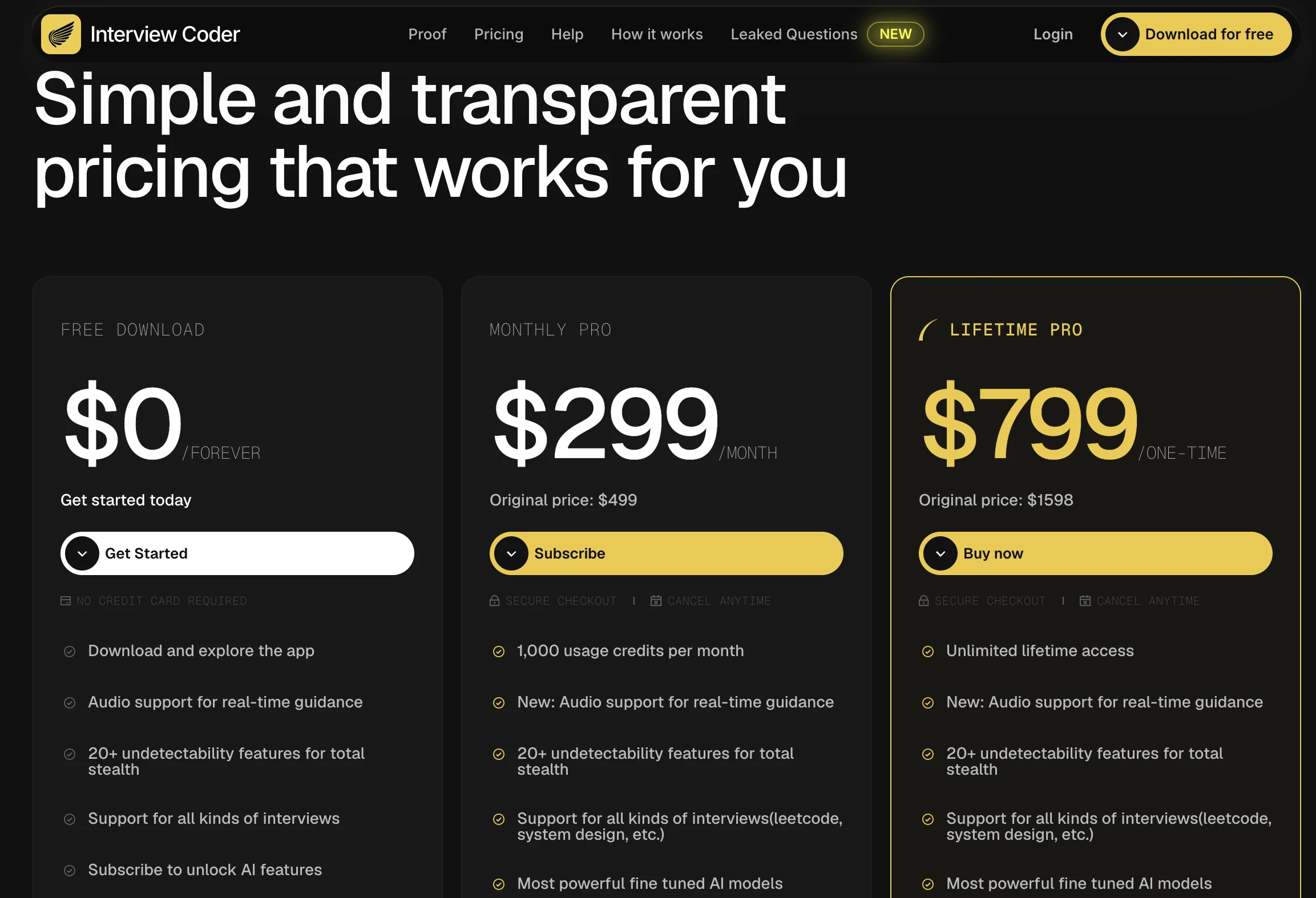
The published $299 monthly tier includes 1,000 credits and the separate lifetime price is $799. A free app download does not give full paid AI access. The review questioned whether a short interview cycle justifies either commitment; that depends on coding-round volume, credit use, and whether you also need behavioral practice or post-interview feedback. Compare the paid tier with Acedly using the same complete set of upcoming rounds.
Questions to check in your own trial
Stealth claims need an actual share test
The review author saw two popup controls in a second-device screen share. That result deserves a rehearsal, not a universal claim that every version is visible. A buyer should trigger the controls while sharing a tab, an app window, and the entire display, then watch the receiving device. Operating-system permissions and conference updates can alter the outcome.
Easy problems versus harder design work
The review separated useful help on straightforward algorithm problems from weaker answers on complex tasks. Test with one data-structure problem, then a design question involving constraints such as scale and failure modes. The important output is not a polished first solution but whether the assistant can identify trade-offs and revise the design after an interviewer challenges it.
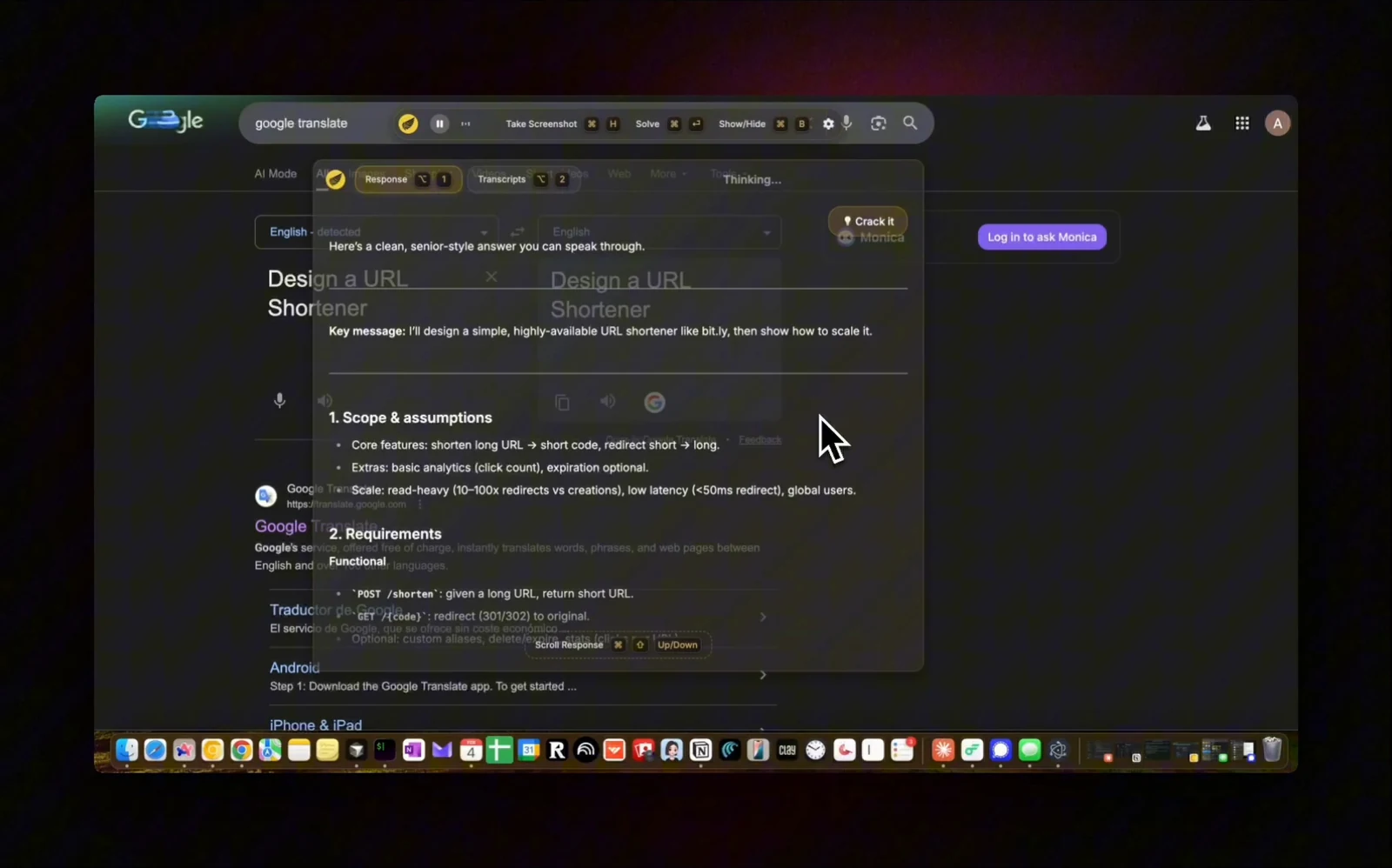
Interview Coder — URL shortener system design demo
Official demo frame · interviewcoder.co · Retrieved
Illustrative material
Controls and conversational continuity
Starting, pausing, and finishing a session takes attention during a timed call. Earlier commentary also questioned whether the assistant remembers spoken context after a screenshot. The current product lists audio, so test a spoken clarification after a screen prompt and record whether it modifies the same solution. This is a more useful measure than screenshot generation speed alone.
Free access and model transparency
A download or limited free mode does not establish what the paid AI can do. The review asked which models are used and whether the tool can be evaluated before a large payment. Check the current plan terms, credit meter, refund language, and model information at checkout. Avoid treating an older absence of disclosure as a current fact without checking the vendor's latest documentation.
Evaluate the real interview workflow
Interview Coder began with screenshot-led coding help: capture a prompt, read an approach or solution, then ask for a refinement. The referenced review liked the speed on simpler algorithm problems, but questioned answer depth for system design and the need to manage controls mid-interview. The current product also captures interviewer audio and advertises broader interview formats, so those older limits should become test cases, not fixed verdicts. Try a screen problem followed by a spoken change in requirements and inspect whether the answer adapts.
The final purchase check
Its $299 monthly plan includes 1,000 usage credits; the $799 lifetime offer is a separate commitment. The free app download allows inspection but does not unlock the paid AI. A candidate facing a short coding sprint may evaluate those terms differently from someone preparing across behavioral, system-design, and recruiter rounds. Compare Acedly's practice and review tools only after deciding which interview rounds and usage volume you need to cover.
Interview Coder: What stands out
- Coding problem workflow
- Audio support listed on the current site
- Desktop overlay
Trade-offs to check
- 01Compare monthly cost with one-time access and usage credits
- 02Test coding and spoken follow-ups separately
- 03Test audio, screen capture, and screen sharing on your exact setup
Pricing and plan access
The public page listed $299 monthly and $799 one-time on September 24, 2026. Free download does not include the paid AI features.
A closer look at Interview Coder
A ten-minute test before deciding
Use a coding prompt with a spoken clarification. Compare how each product uses both the screen and the follow-up question.
Which should you choose?
Choose Acedly when
you want résumé and job-description context, role-specific practice, live assistance, and post-interview review in one workflow. Try your actual meeting and device before relying on any screen-sharing claim.
Choose the other product when
its primary use and plan structure match your interview schedule better. The checklist above is more useful than any universal winner claim.
Common question
Is Acedly automatically better?
No. The right choice depends on your interview format, the features included in the plan you would buy, and a practice test on your own device. Acedly is strongest when you want preparation, live help, and review connected across rounds.