Acedly AI vs Beyz AI: Which Interview Copilot Is Better? (2026)
Compare live answers, dedicated phone interviews, coding, mock practice, language coverage, platform requirements, and pricing — with a clear recommendation for active job seekers.
Editorial Team

Acedly comparison guide
Acedly × Beyz AI
Product workflow · pricing · trade-offs
Review at a glance
Acedly × Beyz AI
This is an Acedly-authored comparison based on public product materials and the pictured interface where available. It is not a controlled head-to-head benchmark.
- What the product is for
- interview cheat sheets and practice
- Best fit
- candidates who use prepared notes and short practice
Reassessing the current product
The Beyz review is useful for its setup, interface, bilingual, and plan-access questions, but several conclusions need a current check. Beyz now advertises an Invisible Desktop app, phone assistance, solo practice, cheat sheets, and coding help. Its published monthly $49.99 plan excludes the Coding Assistant, while the quarterly and semiannual plans include it; the longer terms have different upload allowances. That plan split matters more than a generic feature checklist. If you need coding and bilingual interviews, test the exact paid tier, desktop OS, and language switch with a résumé in the language you will actually use.
Product features before the trial
Beyz brings together live suggestions, solo practice, interview cheat sheets, résumé context, phone assistance, and coding support. The published review first walked through that feature list and then separated the experience of preparing from using the assistant in a live call. That distinction matters because a feature shown on the site may belong to a different subscription term or device mode.
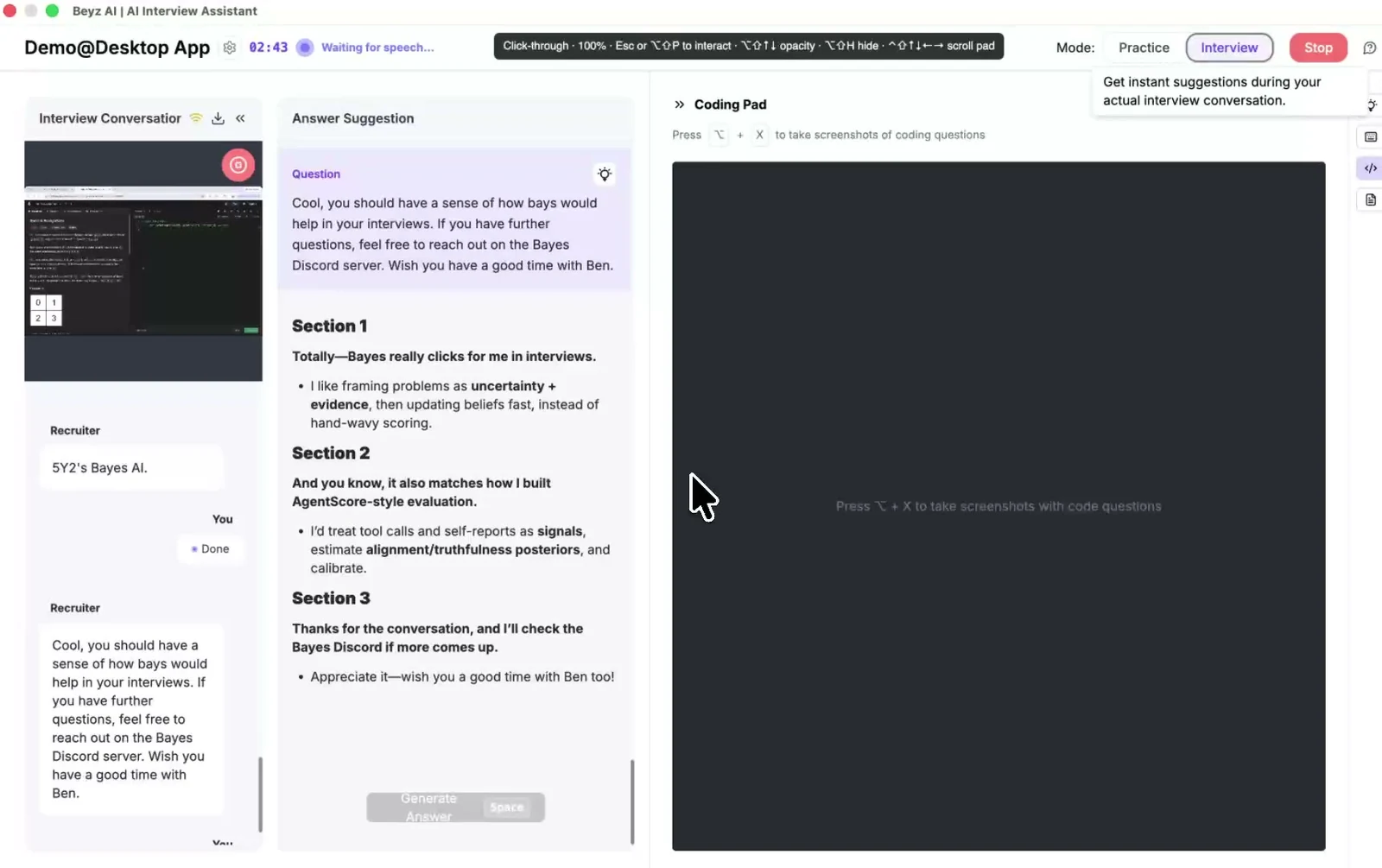
Beyz AI — Coding assistant alongside interview context
Official product image · beyz.ai · Retrieved
Illustrative material
Setup and mock-interview workflow
The review describes selecting interview type, role, company, and language; uploading a résumé; starting a mock; and reading feedback or transcripts afterward. It called the guided setup clear and the transcription quick. A repeatable check is to prepare two job descriptions with different responsibilities, then ask the same behavioral question in both mocks. Useful personalization should change the examples and priorities, not merely insert the company name.
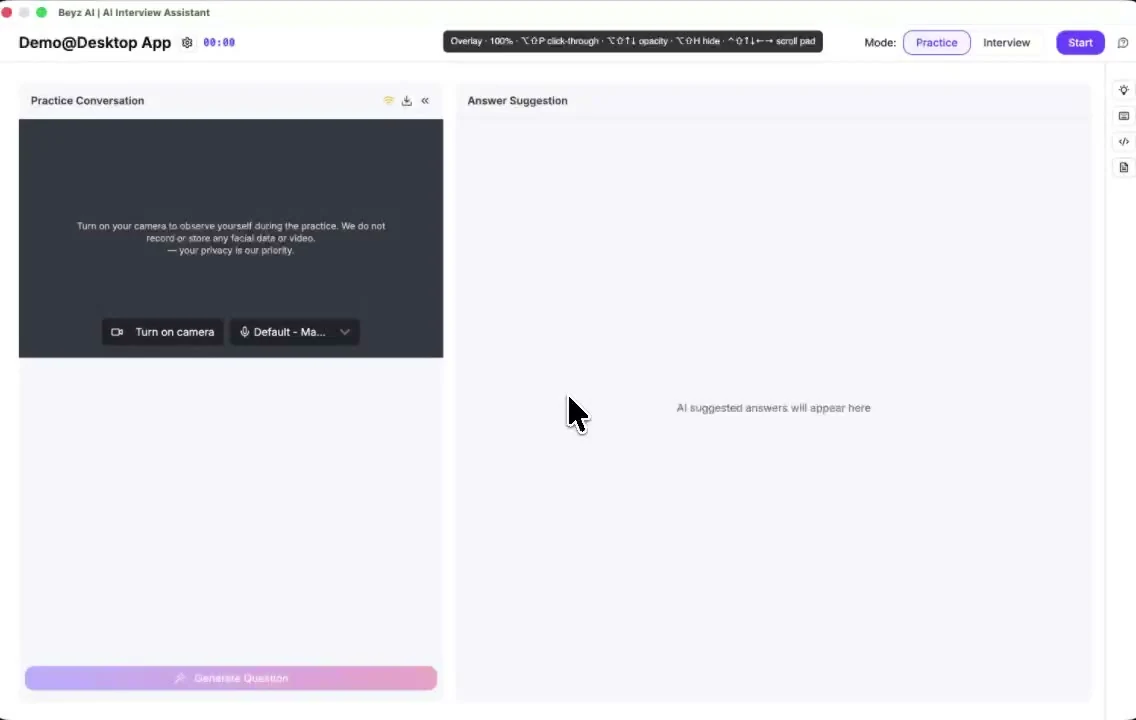
Beyz AI — Solo practice setup
Official product image · beyz.ai · Retrieved
Illustrative material
Live interface and bilingual answers
In its own trial, the reviewer found repeated answer patterns, trouble locating a share control, and mixed Japanese and English output when résumé and interface languages differed. It also raised a browser-tab visibility concern. Those results need a current-device check because Beyz now markets a desktop app. Try the exact OS and sharing mode, then ask a bilingual follow-up and inspect whether the answer remains in the requested language while retaining résumé context.
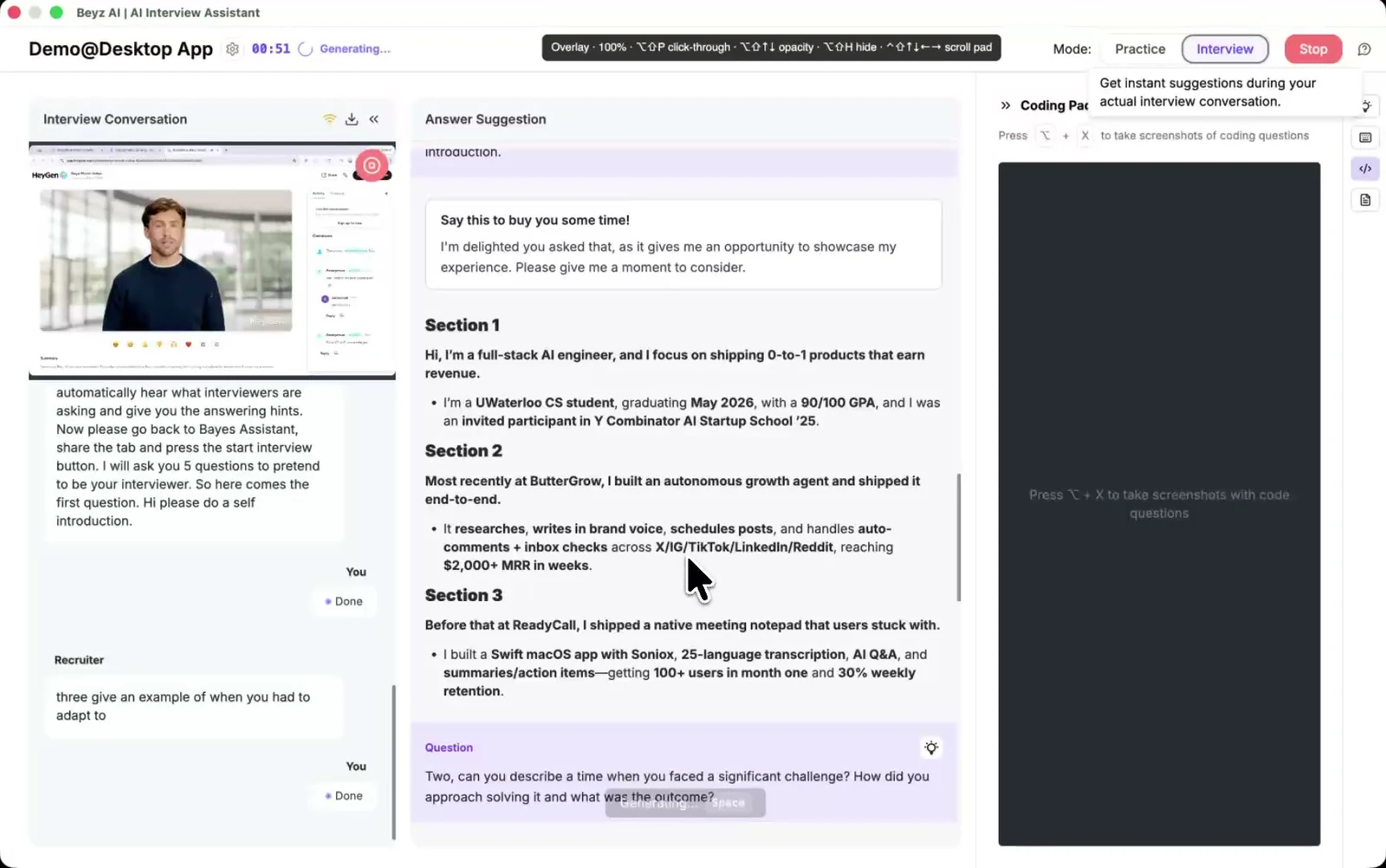
Beyz AI — Interview transcript and answer suggestions
Official product image · beyz.ai · Retrieved
Illustrative material
Plan access and value
The current $49.99 monthly plan excludes Coding Assistant; quarterly and semiannual terms include it, with different upload allowances. This is more informative than a site-wide feature list when choosing a plan. If you only need guided mock practice, Beyz may cover the task. For live coding or bilingual rounds, confirm the plan, desktop access, and interview duration before comparing the overall value with Acedly.
Questions to check in your own trial
Résumé personalization
The review liked the simple upload flow but said several self-introduction answers looked alike. Test two substantially different roles with the same résumé and then one role with a revised achievement. If the suggestions barely change, the personalization is shallow; if they select different evidence and adapt the emphasis, the tool is doing more than filling a template.
Translation versus bilingual coaching
The reviewer reported that translation sometimes replaced a useful answer and that a résumé in one language could produce mixed-language output in another. Recreate this with the languages of your real interview. Ask one question, switch language for a follow-up, and check whether facts, tone, and requested output language stay consistent. One fast transcript is not enough to judge bilingual assistance.
Browser and desktop visibility
The older review worried that a browser tab or active-tab monitoring would reveal the tool. Beyz now advertises an Invisible Desktop app, so the original browser-only conclusion no longer covers every option. Compare the specific mode and plan you would buy, then inspect what another device receives during tab, window, and full-screen sharing.
Mock value versus live value
The source found the guided mock useful while questioning live technical use. Those are different purchase decisions. If your next round is behavioral practice, the lower tier may be enough. If it is live coding, verify Coding Assistant access in the actual subscription term, plus the file allowance and desktop features. Then compare the entire interview workflow with Acedly.
Evaluate the real interview workflow
The Beyz review walks through choosing an interview type, role, company, and language, uploading a résumé, starting a mock, and checking feedback. That is a useful setup test to reproduce. It praised fast transcription and a guided interface while describing repetitive answers and mixed-language output in its own trial. Those quality results are not universal. Run the same behavioral question with two different job descriptions and then a bilingual follow-up to see whether the output changes in a useful way.
The final purchase check
Beyz now advertises a desktop app, real-time suggestions, cheat sheets, solo practice, phone help, and coding assistance. Its $49.99 monthly plan does not include Coding Assistant, whereas quarterly and semiannual plans do; file allowances also differ. This means a general feature list can overstate what a monthly buyer receives. Acedly is the comparison to test when one shorter subscription should cover coding, practice, live help, and review without a longer commitment.
Beyz AI: What stands out
- Prepared interview cheat sheets
- Mock interview practice
- Desktop overlay
Trade-offs to check
- 01Check which plan unlocks the feature you need
- 02Confirm the supported OS and device
- 03Test audio, screen capture, and screen sharing on your exact setup
Pricing and plan access
Plan inclusions and promotional prices can change. Check the current checkout for the feature and term you need.
A ten-minute test before deciding
Open the plan you would actually buy and verify coding, desktop, and uploaded-context access before testing answers.
Which should you choose?
Choose Acedly when
you want résumé and job-description context, role-specific practice, live assistance, and post-interview review in one workflow. Try your actual meeting and device before relying on any screen-sharing claim.
Choose the other product when
its primary use and plan structure match your interview schedule better. The checklist above is more useful than any universal winner claim.
Common question
Is Acedly automatically better?
No. The right choice depends on your interview format, the features included in the plan you would buy, and a practice test on your own device. Acedly is strongest when you want preparation, live help, and review connected across rounds.